Settings
HEMS - Hotel Manager
Settings
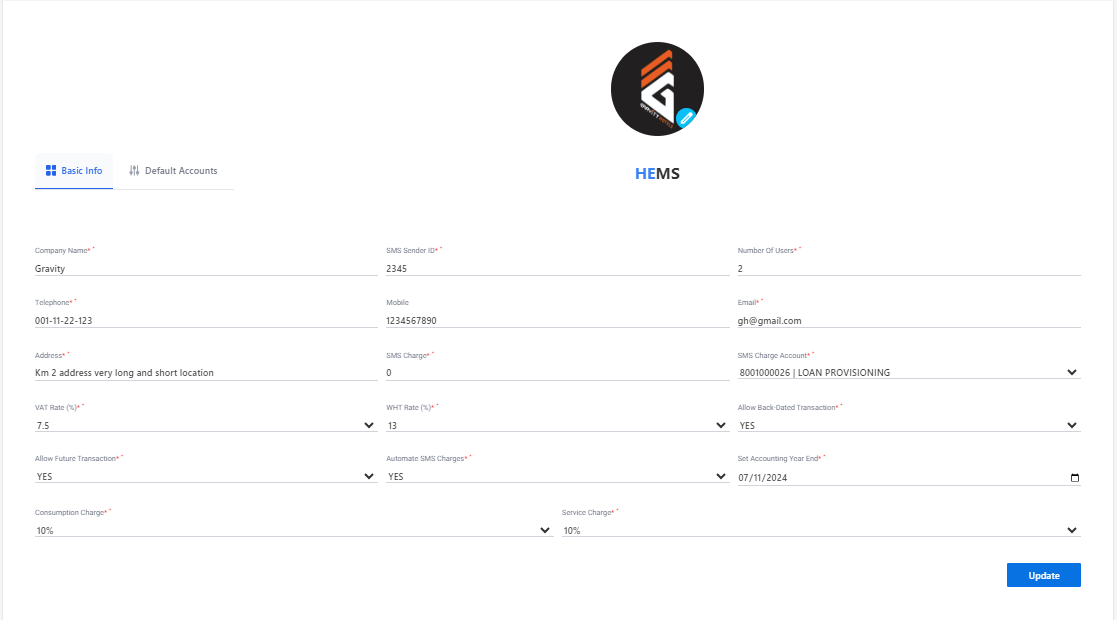
Settings Page
The Settings Page allows users to customize their account and system preferences. Below are the key sections and options available:
Company Information
- Company Name: Displays the name of the company.
- Serial Number: Unique identifier for the company.
User Management
- Number of Users: Indicates the total number of users associated with the account.
Date and Time Settings
- Date/Time: Allows users to set the current date and time.
- Time Zone: Dropdown menu to select the appropriate time zone.
GPS Settings
- GPS: Options to configure GPS settings.
Communication Settings
- Email Address: Field to enter the primary email address.
- 2G Fallback: Toggle switch to enable or disable 2G fallback.
- SMS Fallback: Toggle switch to enable or disable SMS fallback.
Network Settings
- IP Address: Fields to enter the IP addresses for network configuration.
Address Book / Remote Monitoring
- Address Book: Section to manage address book entries.
- Remote Monitoring: Options for remote monitoring settings.
Update
- Update Button: Click to save and apply the changes made on the settings page.
This page provides a comprehensive set of options to tailor the system according to user preferences and operational requirements.
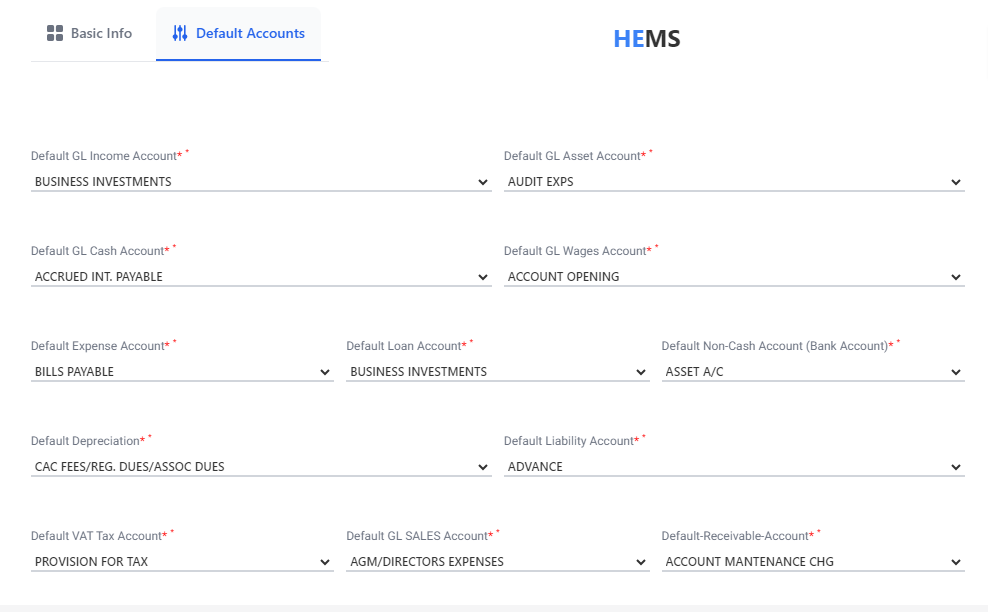
Default Accounts
This section enables users to set default accounts for different financial categories. Each account setting has a dropdown menu for selecting the appropriate account.
Account Settings
- Default GL Income Account: Select the default General Ledger (GL) account for income.
- Default GL Asset Account: Choose the default GL account for assets.
- Default GL Cash Account: Set the default GL account for cash transactions.
- Default GL Wages Account: Select the default GL account for wages.
- Default Expense Account: Choose the default account for expenses.
- Default Loan Account: Set the default account for loans.
- Default Non-Cash Account (Bank Account): Select the default non-cash bank account.
- Default Depreciation Account: Choose the default account for depreciation.
- Default Liability Account: Set the default account for liabilities.
- Default VAT Tax Account: Select the default account for VAT tax.
- Default GL Sales Account: Choose the default GL account for sales.
- Default Receivable Account: Set the default account for receivables.
Example Entries
- Default GL Income Account: BUSINESS INVESTMENTS
- Default GL Asset Account: AUDIT EXPS
- Default GL Cash Account: ACCRUED INT. PAYABLE
- Default GL Wages Account: ACCOUNT OPENING
- Default Expense Account: BILLS PAYABLE
- Default Loan Account: BUSINESS INVESTMENTS
- Default Non-Cash Account (Bank Account): ASSET A/C
- Default Depreciation Account: CAC FEES/REG. DUES/ASSOC DUES
- Default Liability Account: ADVANCE
- Default VAT Tax Account: PROVISION FOR TAX
- Default GL Sales Account: AGM/DIRECTORS EXPENSES
- Default Receivable Account: ACCOUNT MAINTENANCE CHG
This page provides a comprehensive set of options to tailor the financial account settings according to user preferences and operational requirements.