Login
HEMS - Hotel Manager
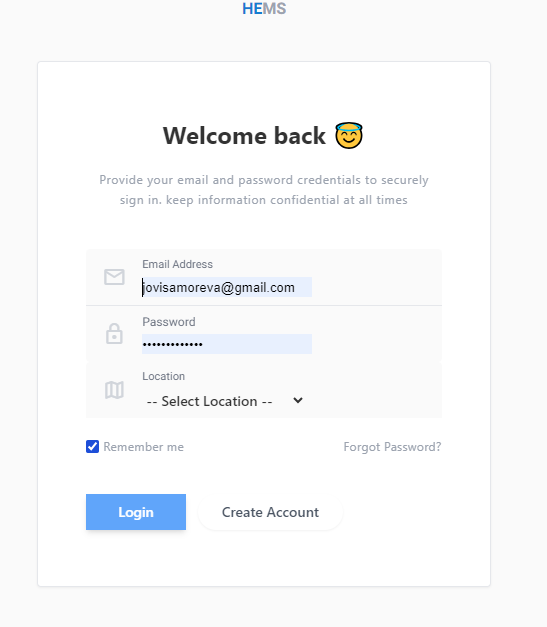
Login Page
The HEMS Hotel Management Software login page allows returning users to securely sign in to their accounts. Below is a description of the fields and available actions on this page.
Fields
- Email Address: Enter the email address associated with your HEMS account. This field is required to log in.
- Password: Input the password you created during registration. Ensure that the password is entered correctly to avoid login issues.
- Location: Select the hotel or branch location from the dropdown list. This helps in identifying the specific branch you are logging into.
Options
- Remember me: Check this box if you want the system to remember your login details on this device. This option is useful if you frequently access the platform from the same device.
- Forgot Password?: If you have forgotten your password, click on this link to initiate the password recovery process. You will be guided through steps to reset your password.
Actions
- Login: After filling in the required fields, click the
Loginbutton to access your account. - Create Account: If you do not have an account, click the
Create Accountbutton to be redirected to the registration page.
Notes
- Ensure that your login credentials (email and password) are kept confidential to maintain account security.
- The location selection is crucial for users managing multiple branches, as it ensures you're logging into the correct branch of the hotel.
This documentation provides an overview of the login process for users of the HEMS Hotel Management Software. For any login issues, users are encouraged to visit the Help & Support section or submit a support ticket.